Enabling 2FA on your customer account:
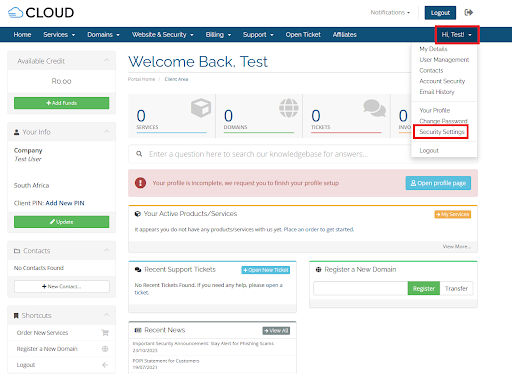
Step 1: Login to your account and select the Profile dropdown, then Security Settings
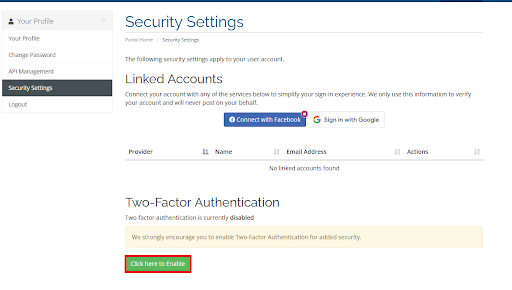
Step 2: Select “Click here to Enable”
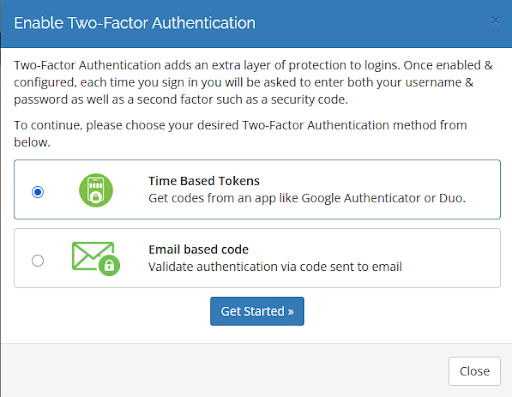
Step 3: Select either Email or Time Based Token. If you select email, a code will be emailed to your customer email address which you will need to enter. Please see Step 4 if you wish to use Time-Based Tokens with either Google Authenticator or Microsoft Duo
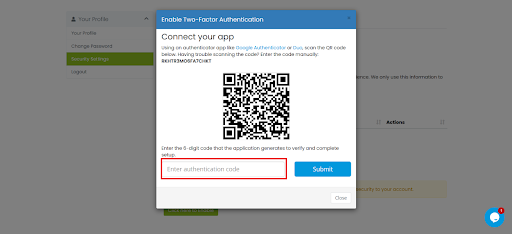
Step 4: Scan the QR code presented and enter the authentication code you are given
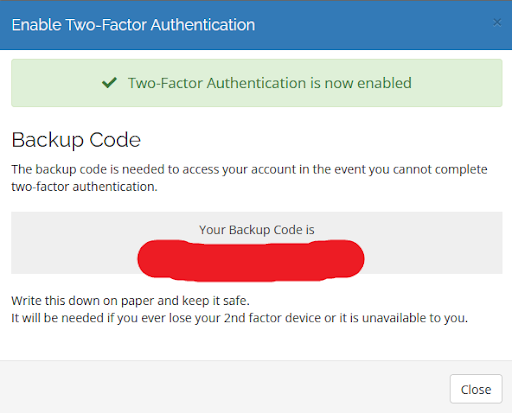
Step 5: Record the Backup Code somewhere safe in case you lose access to your 2FA device